

Oʻahu Home Search
Daniel UluTeam Leader · RS-767781 · Connect your account2 · Get the app
First, connect your account.
Explore Oʻahu homes, save what fits, and request a tour with Daniel.
Create your account or sign in with Google or email. Then download the app and use the same account.
Start here: connect your account
Connect your account and get the app Already installed? Open Oʻahu Home Search →Browse homes on the web →Available for iPhone. You can also browse homes on the web without the app.
Your home search, in your pocket
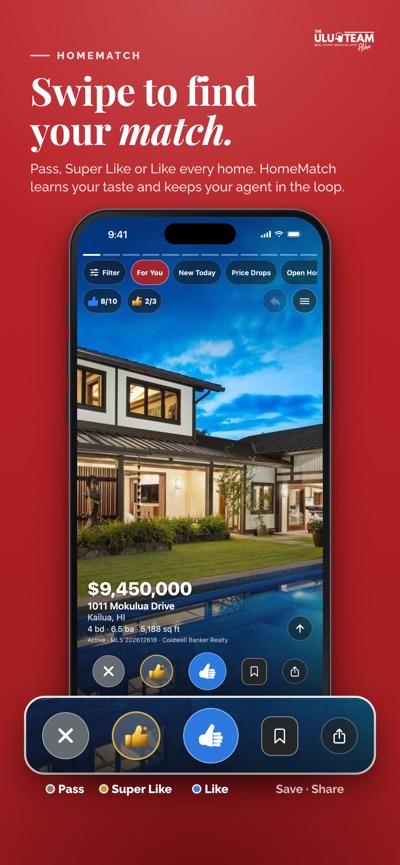
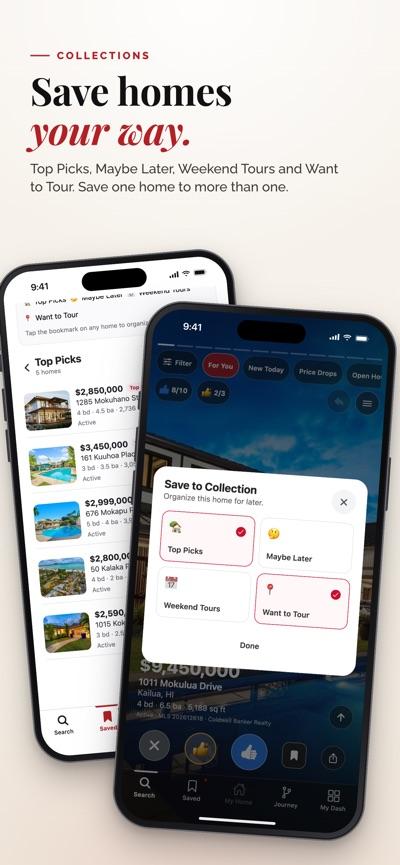
Screenshots from the App Store · Available for iPhone
Set up the iPhone app
- Connect your account. Create your account or sign in with Google or email. New accounts connect with Daniel. Existing clients keep their assigned agent.
- Download the app. After signing in, you’ll return here. Tap Get the app on the App Store, then tap Get in the App Store to install.
- Open the app and sign in. Use the same Google account or email you used here so your saved homes, searches, and agent connection follow you.
- Check your agent. If you need to reopen your invitation, return to this page in Safari and tap Open Oʻahu Home Search. In Account → Notifications, choose the alerts you want.
Keep your agent connected
Use the same account on the web and in the app for Collections, saved searches, property activity, and tour requests. Your agent manages your Journey in Portal. In the app, Journey shows your next steps and Inbox keeps your conversations together. Existing clients keep their assigned agent.
Create or sign in to your account →